The AI day planner that also takes your meeting notes
Kanban flows for work, home and side projects — on your own or shared with your team; a calendar every task lands on; and a meeting notetaker whose action items file themselves. Free to start — Pro is $4.99/mo.
iPhone app on TestFlight — App Store release coming soon.
Everything in one flow
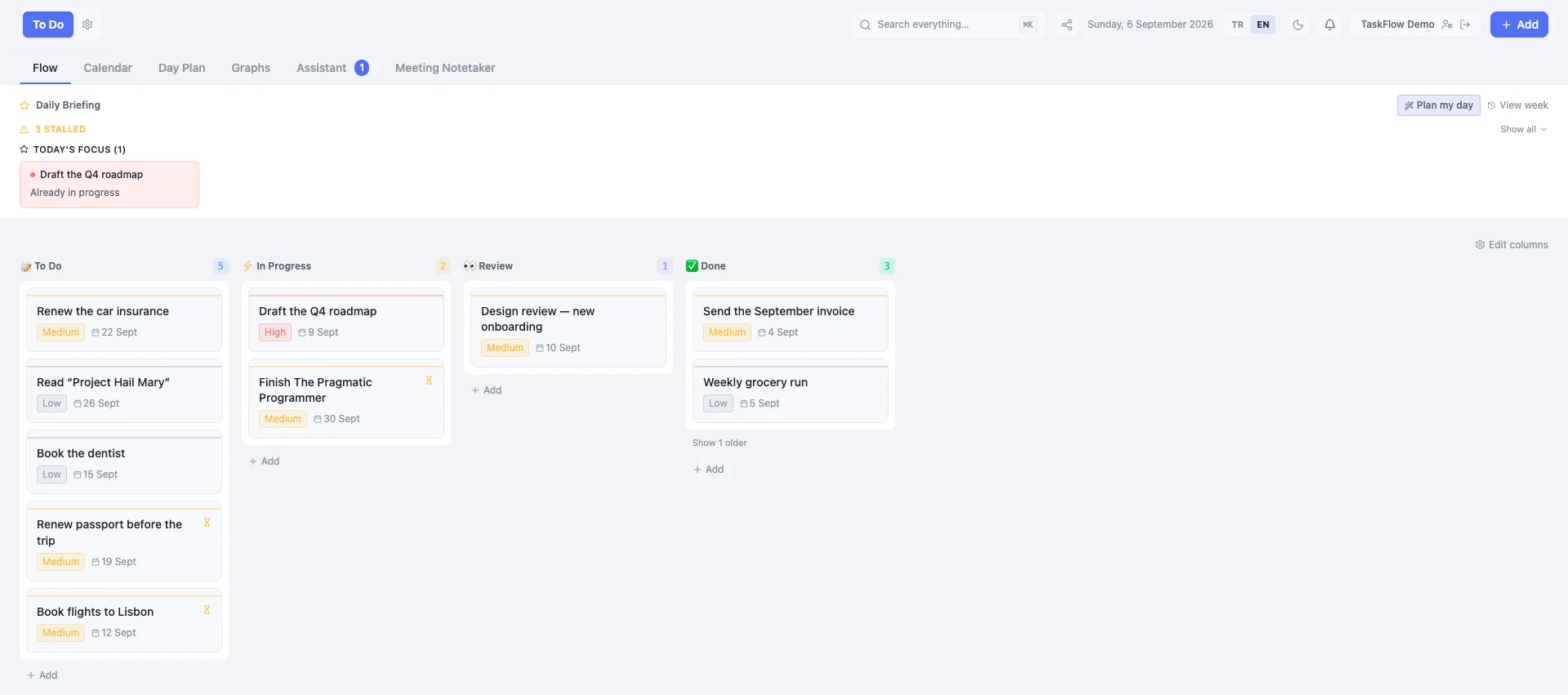
Flows
Kanban flows for every part of your life — work, home, side projects.
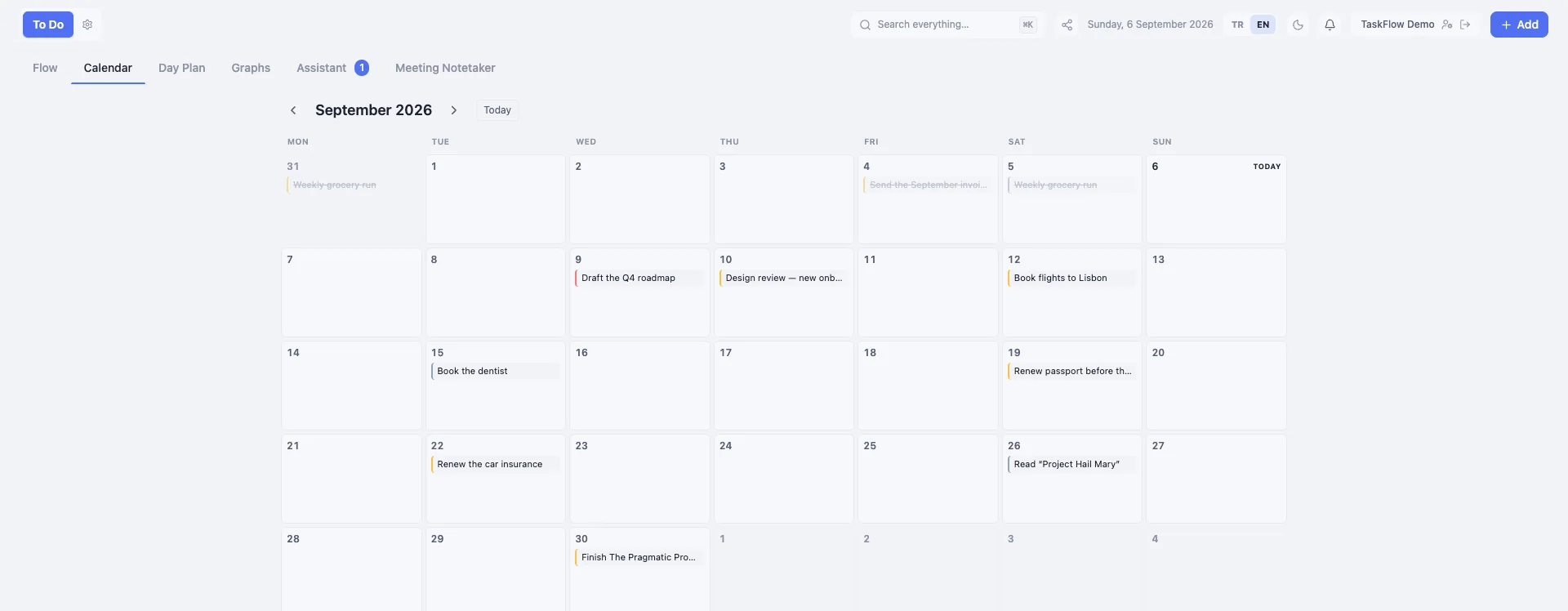
Calendar & Day Plan
Every task has a date, and AI lays out your day hour by hour.
Assistant
Type, talk or paste anything — it becomes tasks, right where they belong.
Meeting Notetaker
Record a meeting and get the summary and action items automatically.
Reminders
Push notifications on web and iPhone before things slip.
Smart suggestions
AI connects the dots across your flows and proposes the next step.
Works with your AI
Connect TaskFlow over MCP — Claude, Cursor, or any MCP client — and let it read your flows and add to them for you.
Export & share
Take any filtered slice out as a checklist or meeting note, or share a list with a link.
Recurring tasks
Daily, weekly or monthly — finish one and the next appears with its date already set.
Shared flows
Invite people as editors or viewers and assign them tasks. Two people editing one task never silently overwrite each other.
Teams
Colleagues join with a code, and one switch shares a flow with the whole team — including whoever joins later.
Files
A small drive, personal or per flow. Attach a file to a task straight from it, and find it again in search.
Connect it to your assistant
TaskFlow hosts an MCP server, so your assistant can read your flows and add to them. One line in Claude Code — or add it as a custom connector in claude.ai. It can create and update, never delete.
claude mcp add --transport http taskflow https://taskflow.denegra.ai/mcpSimple pricing
Start free. Upgrade when you need unlimited.
Free
- Up to 5 flows
- Unlimited tasks, calendar & day plan
- A monthly allowance of AI captures
- Join shared flows and teams; 100 MB of Files
Pro
- Unlimited voice & text capture
- Unlimited AI Day Plan
- Unlimited transcription
- Unlimited flows
- Cross-flow suggestion refresh
- Share task flows and create a team
- 2 GB of Files
Have a code? Redeem it inside the app after signing up.
Questions
Is there a free plan, or just a trial?
There is a permanent free plan, not a trial. Free gives you up to 5 flows, unlimited tasks, the full calendar and day plan, and a monthly allowance of AI captures. Pro lifts the AI limits and is $4.99/mo or $39.99/yr, with a 7-day trial.
What does the AI day plan actually do?
You say what you want to focus on — including things that are not tasks, like a gym session or dinner — and it lays the day out hour by hour around what is already on your calendar.
Can it take meeting notes and turn them into tasks?
Yes. Record a meeting and TaskFlow transcribes it, writes a summary, and proposes action items. You accept the ones that matter and they become tasks in the flow you choose — in the same app as your plan, not exported somewhere else.
Which AI assistants can use TaskFlow?
TaskFlow hosts a remote MCP server, so any MCP client can connect — Claude and Cursor are the ones we have connected ourselves. Your assistant can then read your flows, create and update tasks, search and see your briefing. It cannot delete anything: that is deliberate.
Is my data used to train AI models?
No. AI features send the relevant text, audio or image to Microsoft Azure OpenAI to produce the result, and your content is not used to train models and is not sold. Details are in the privacy policy.
Is there an iPhone app?
The iPhone app is on TestFlight and an App Store release is coming. The web app works on a phone browser today and installs to your home screen as a PWA.
Can I share a flow with other people or a team?
Yes. Invite someone to a flow by email as an editor (adds and changes tasks) or a viewer (only looks), or create a team that colleagues join with a code and share a flow with all of them at once. Being invited or joining a team is free; sharing a task flow and creating a team are part of Pro. Category flows such as books or restaurants are free to share.