Your day is in four places, and none of them knows about the others
A to-do in one app, an appointment in another, a thought in a third, and the thing you agreed to in a meeting on paper. Why none of them can answer "what do I actually have to do today?" — and what TaskFlow does about it.
Ask most people where their work lives and you get four answers. Tasks are in a list app. Appointments are in a calendar. Half-formed thoughts are in a notes app. And the thing you agreed to out loud in a meeting is on a piece of paper, or nowhere at all.
Each of those tools is fine. The problem is that none of them can answer the only question that matters on a Tuesday morning: what do I actually have to do today?
Why four good tools add up to a bad answer
The list app knows your tasks but not that you are in a dentist’s waiting room from two to four. The calendar knows about the dentist but has never heard of the report. The notes app is where good intentions go to be scrolled past. And the meeting item — the one someone is actually waiting on — was never written down anywhere a machine can see.
So you do the reconciliation yourself, every morning, in your head. That is not a small tax. It is the reason a week can feel busy and still end with the one important thing untouched.
One flow, and a calendar that is not a separate app
TaskFlow starts from a different assumption: a task and a date are the same object, not two things you keep in sync.
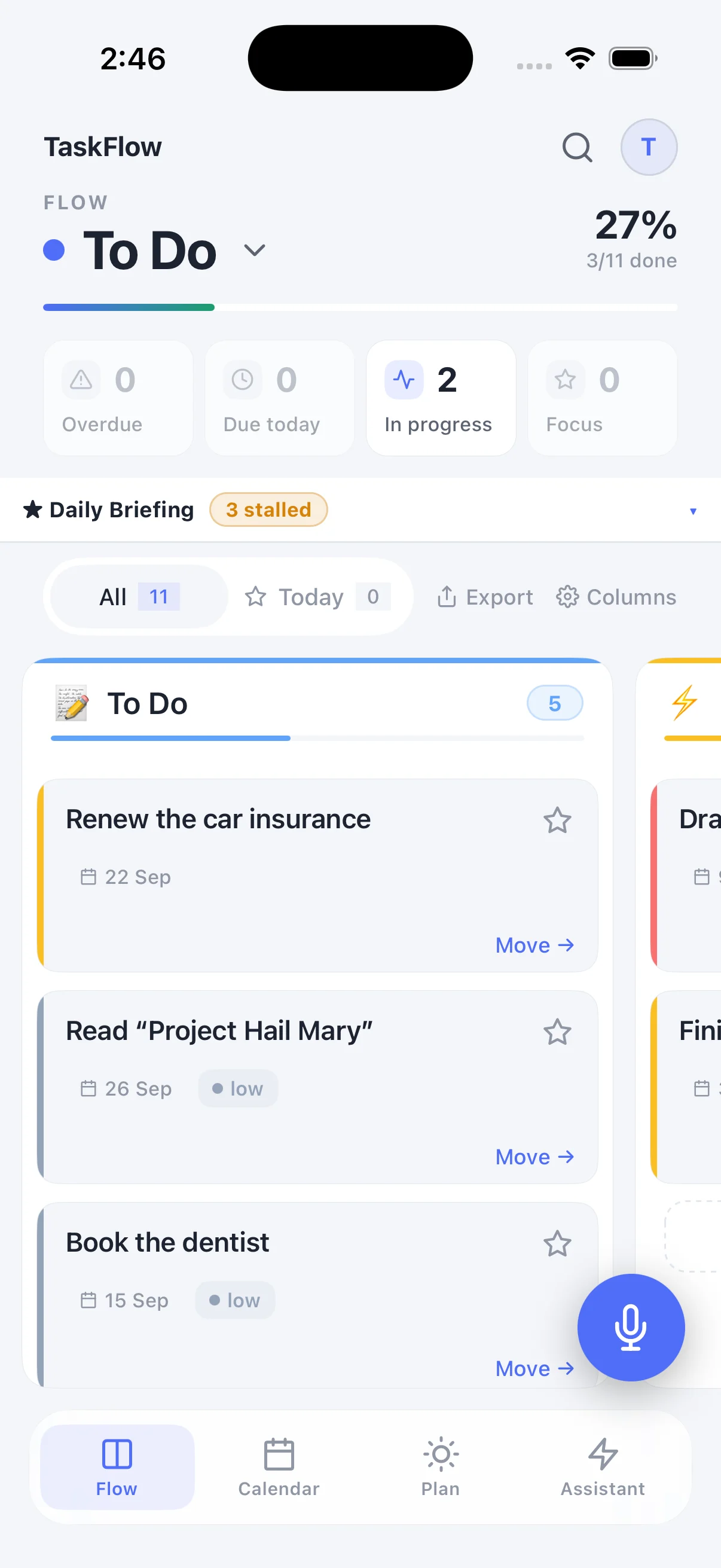
Work lives in flows — kanban columns for separate parts of your life. Work, home, a side project, a trip, a reading list. Each flow has its own columns, and a card moves left to right until it is done.
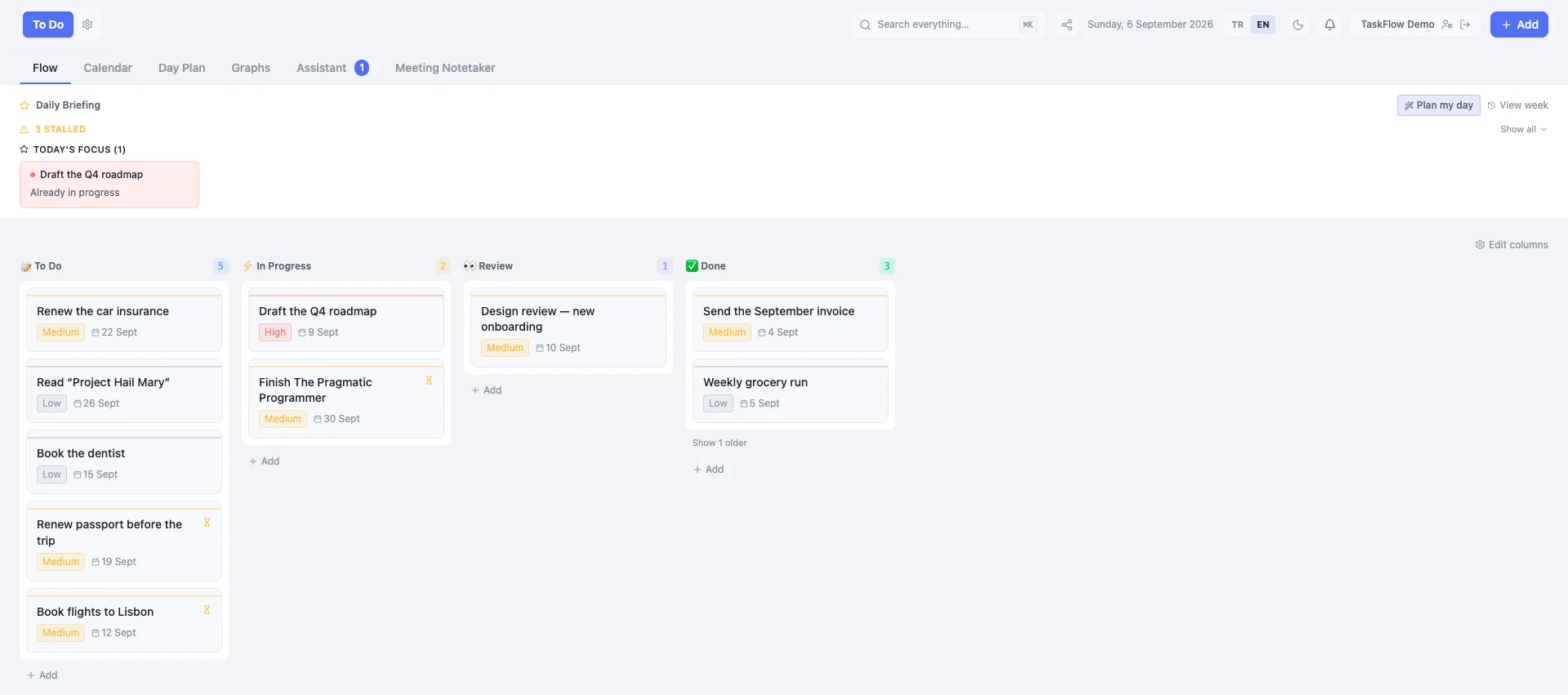
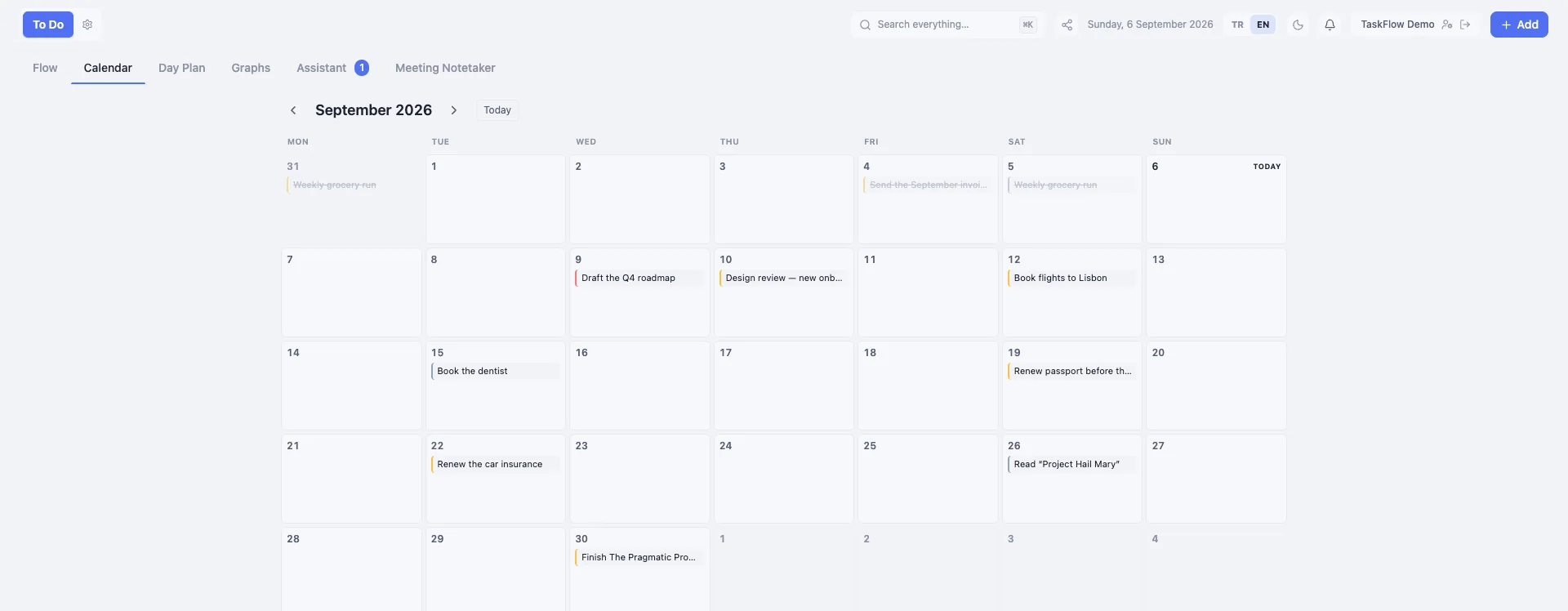
Every task carries a due date — not optionally, always. That single constraint is what makes the calendar useful instead of decorative: it is not a second place you have to remember to fill in, it is the same tasks seen along a different axis.
And then the day itself
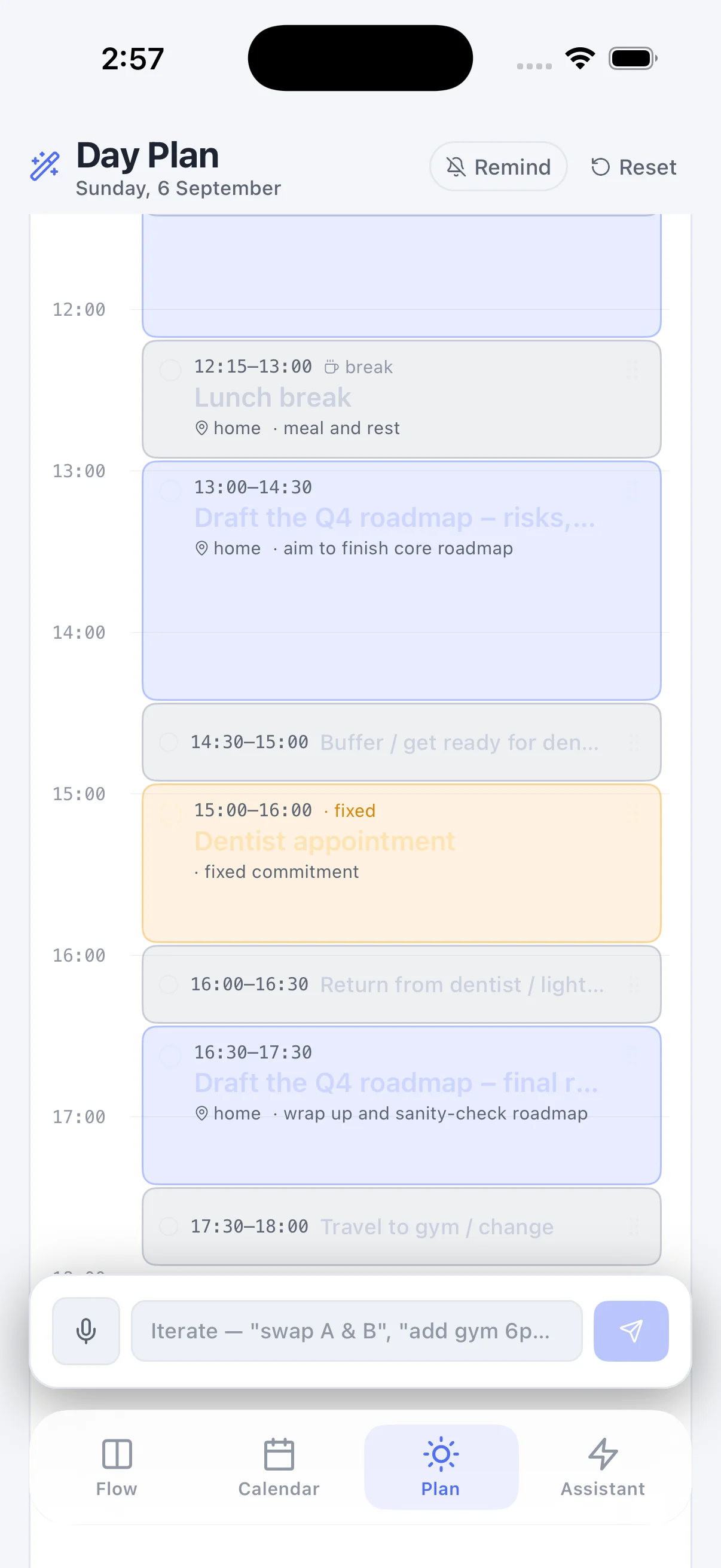
Knowing what is due this week is not the same as knowing what to do between now and dinner. The Day Plan takes the tasks that are due, plus the fixed things you type in that are not tasks at all — a dentist appointment, the gym, picking someone up — and lays the day out hour by hour around them.
The arithmetic is deterministic: the model reads what you said, and ordinary code places the blocks. Fixed commitments hold their time and everything else moves around them, with buffers where you actually need to travel. If the shape is wrong you say so in the same box — "swap those two", "gym at 7 not 6" — and it re-plans.
The part that is genuinely hard: capture
Organising work you have already written down is the easy half. The hard half is the moment before that — the thought in the car, the four things said in the last two minutes of a call, the photo of a whiteboard.
TaskFlow gives that moment one destination. You can type it, dictate it, paste a block of notes, or drop a screenshot, and it gets filed into the right flow. When a single dictation contains six separate to-dos, you get a list to approve rather than one long card holding all six.
And when nothing matches, it goes to an inbox instead of being dropped. That is the contract the whole feature rests on: the words are never lost. A capture tool that occasionally eats what you said is worse than a notebook, because you stop trusting it and then you stop using it.
What it is not
TaskFlow is built for one person running their own work. There are no shared workspaces, no assigning things to colleagues, no activity feed. That is a deliberate limit, not a missing feature: the moment a tool has to serve a team, it starts optimising for reporting upward rather than for the person actually doing the work.
It is free to start, and free is a plan rather than a trial — unlimited tasks, the calendar and the day plan, with a monthly allowance of the AI-powered capture. Pro lifts the limits.